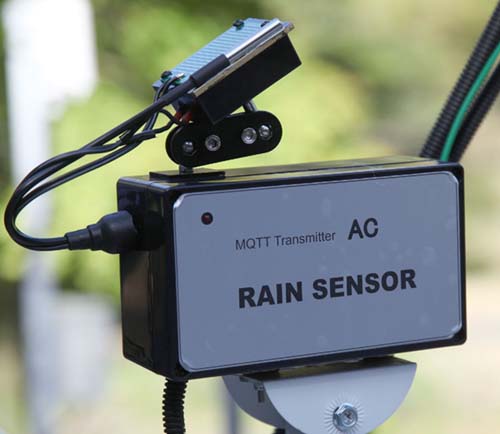
2KHzサイン波 AC方式降雨検知システムを作る
市販されていないオリジナルです
RC方式降雨センサーに成功したので調子こいてAC式降雨センサーも作って見た。
AC式という意味は、原発振器にRENESAS 「ICL8038」を使用した高性能サインウエーブ発振器の
発振出力を雨センサーに流し、降雨時の抵抗変化をADコンバーターで精密測定して降雨を詳細に検
知しようとする方法である。
先に製作したRC方式の難点はRC発振の不安定さであった。
出来たと思ったら数日後、突然baselineの発振周期が変わる現象に悩まされなかなか完成出来なかった
今回のAC方式では、その点は全く心配はない。
但し、部品点数が増えるので過去に作ったRCセンサーより大きめの収納ケースが必要になる。
原発振が安定しているので期待が持てる。
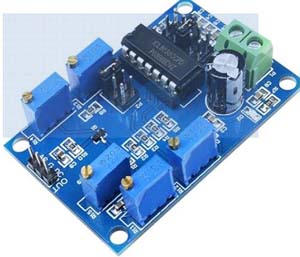
10Hz-300KHz機能信号発生器
購入先 アマゾン ¥950
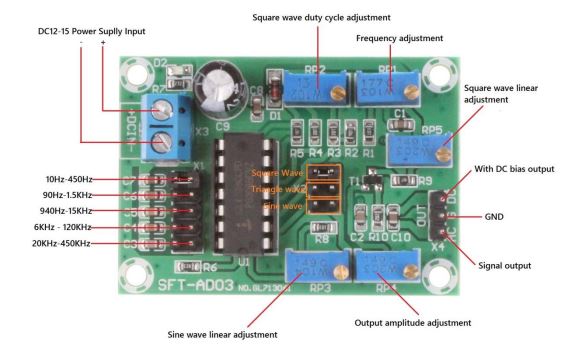
中国製で似通った基盤が各社から出ている。
私が使いたいのは2KHz程度のサインウエーブを安定に発振出来れば良いので安価だし最適な選択だ。
調整に使用するボリュームは、写真右端にあってかつ両端にある2つのみ使用する。
frequency Adjustment->周波数調整用とOutput amplitude adjustment->アウトプットレベル調整用
AC方式 降雨センサー回路図
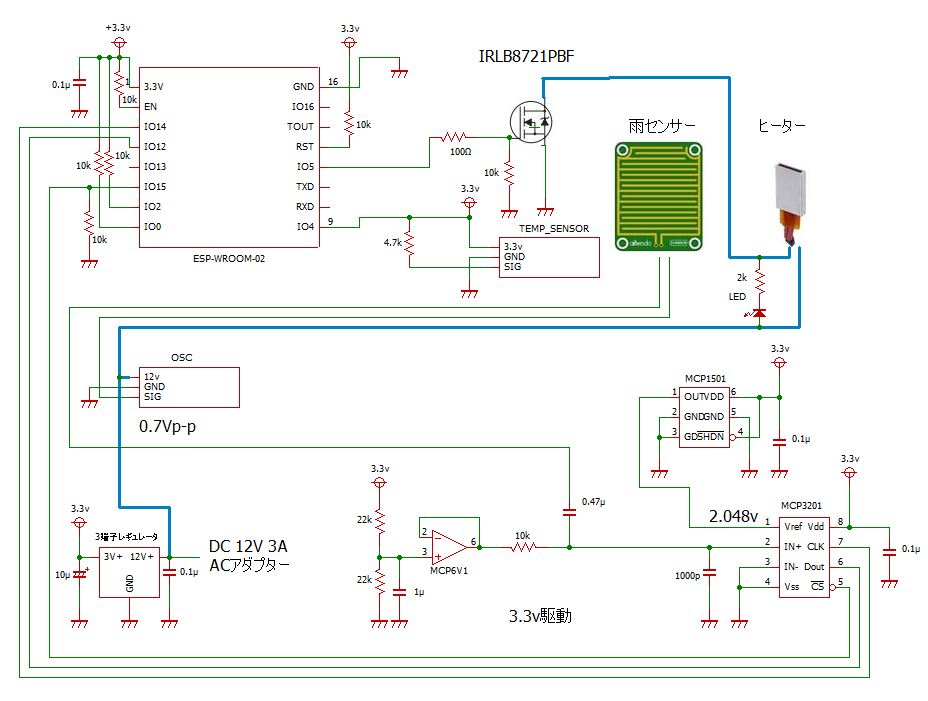
ヒーターを使用するので12V3Aの電源アダプターを使用する。
2Aタイプの三端子レギュレーターで3.3vを確保してその他の回路用電源としている。
降雨時のセンサー表面の微細な抵抗変化を捉えたいので比較的高速処理が可能なMCP3201を使って
CPUに読み込みを行っている。
3.3V単電源なので半分の1.65Vのバイアスを加えて2KHzのサイン波0.7Vp-pを雨センサー経由で入力
している。
温度センサーを装備しており、ヒーターの状況を把握でき細かい温度制御が可能である。
降雨が始まったらヒーターONします。
雨あがりを検出すると、ちょっと時間をおいてセンサーが乾燥してきたらヒーターOFFします。
ヒーターに並列に入っているLEDはヒーター点火と連動して点灯します。
雨が降ると同時にヒーターは点火されますのでLEDで降雨中と判断できます。
ただし、降雨が止んでも暫くヒーターは加熱を続けますのでLEDのみでで降雨停止を正確に判断出来
ません、あくまで降雨の有無は「JSONデーターのrain」で判断します。
ヒーターにデューティー比を設定していればそれに応じて点滅します。
霜や結露、露付なども検出して同様にヒーターによる乾燥処理を行います。
ヒーターはPWM省電力制御を行っています。
ヒーターの火力は、自動ですが、コマンド送信でも操作出来ます。(0-100可変可)
ただし、点火、消火の判断はCPUに委ねられます。
設定 例 動作
0 ヒーター消灯
50 弱
70 標準
80 強
100 最強
CPU部の主要必要部品
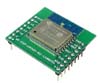
10Hz-300KHz機能信号発生器
購入先 アマゾン ¥950
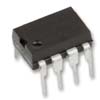
購入先 マルツ
購入価格 ¥1,287
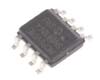
購入先 マルツ
購入価格 ¥545
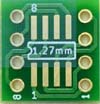
購入価格 ¥ 650 (10)
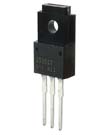
購入先 秋月電子
購入価格 ¥130
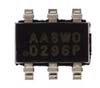
購入先 マルツ
購入価格 ¥198
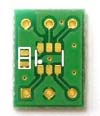
購入先 マルツ
購入価格 ¥296(5枚)
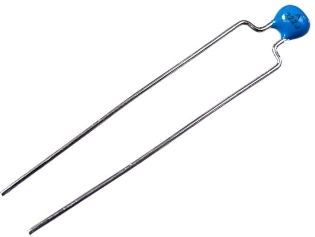
購入先 マルツ
購入価格 ¥58
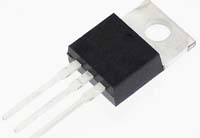
購入先 秋月電子
購入価格 ¥120
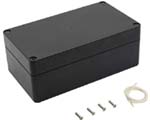
購入先 アマゾン
購入価格 ¥1,699
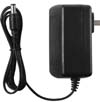
購入先 アマゾン
購入価格 ¥1,499
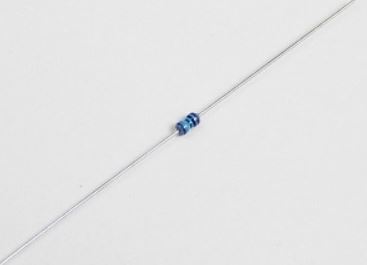
1%
購入先 秋月電子
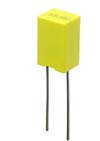
購入先 秋月電子
購入価格 ¥60
購入価格 ¥40
センサー・ヒーターブロック必要部品
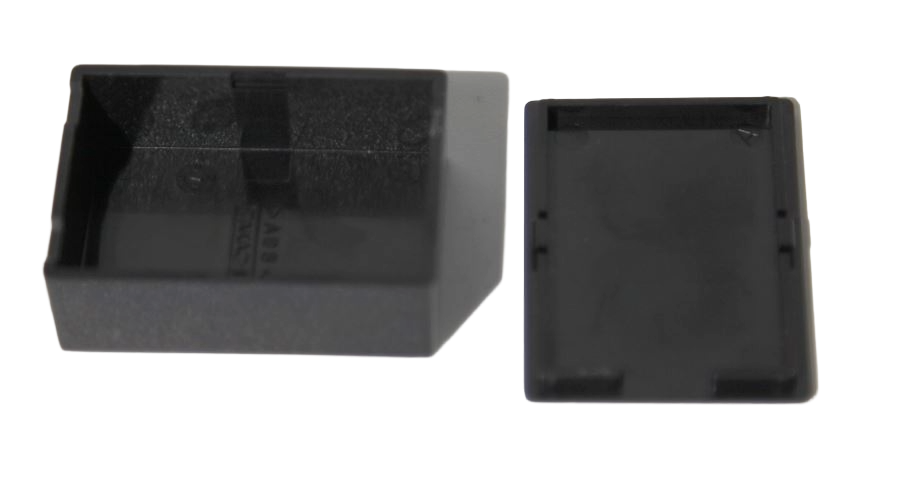
購入先マルツ
購入価格 ¥198

購入先 アマゾン ¥1,209
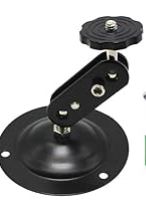
購入先 アマゾン ¥1,599 (4個)
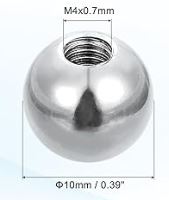
購入先 アマゾン ¥964 (6個)
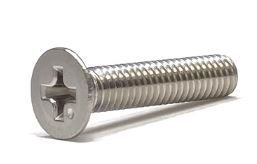
購入先 アマゾン ¥600 (20本)
購入先
アマゾン ¥599 (50個)
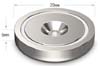
直径20mm
購入先 アマゾン ¥ 1,699 (10個)
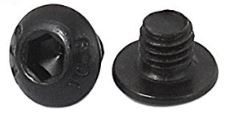
購入先 アマゾン ¥1,116(100本)
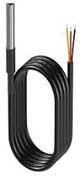
¥1,118 (3個)
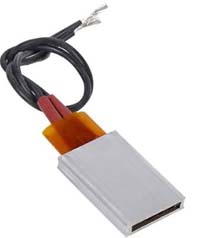
DC 12V (80℃ 2—5W)
購入先 アマゾン ¥1,478 (2個)
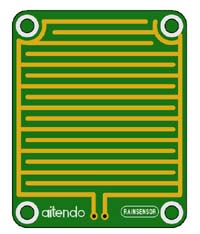
購入先 aitendo ¥110
必要な工具・部材

購入先 アマゾン ¥936

購入先 アマゾン ¥749
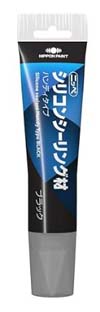
購入先 アマゾン ¥598

アマゾン ¥853

購入先 アマゾン
購入価格 ¥1,700
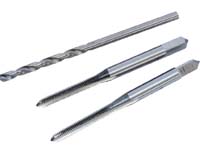
購入先 アマゾン ¥790
センサー・ヒーター部の組み立て
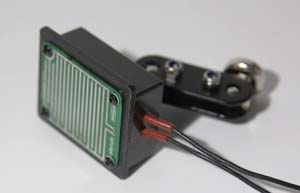
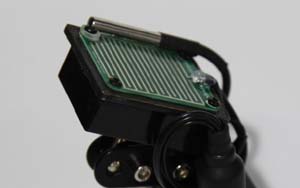
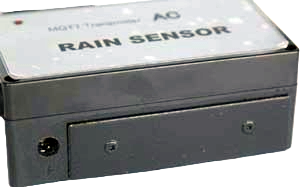
センサーの収納ケースというか置台はタカチの耐熱プラケースを使用しています。
ケースの蓋は使用せず、真鍮板50x60mmにヒーターを裏面に接着したものをプラケース内に耐熱
充填パテを使用して押し込めます。
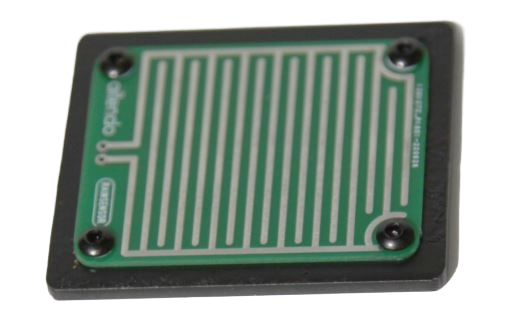
真鍮板の上面には、antendoの雨センサーをM3 3mmねじ4本で固定します。
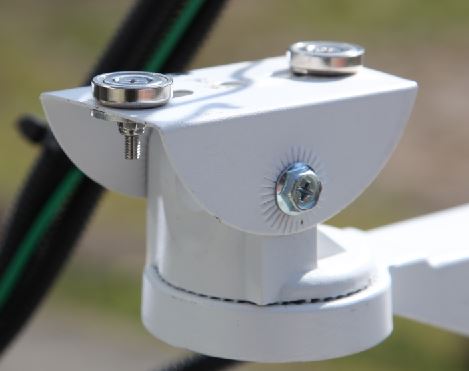
取り付け用ブラケットは上記のカメラブラケットの底部プレートを取り外してアーム部分のみ
使用します、丸い玉とM4ねじナットで固定します。
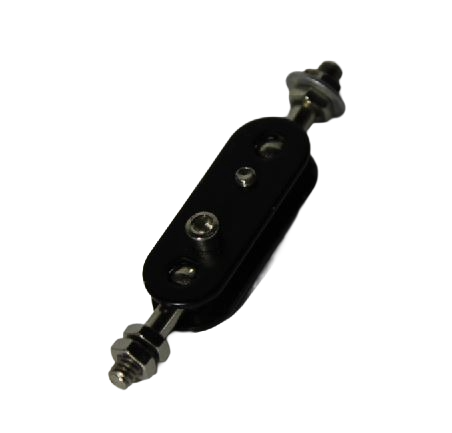
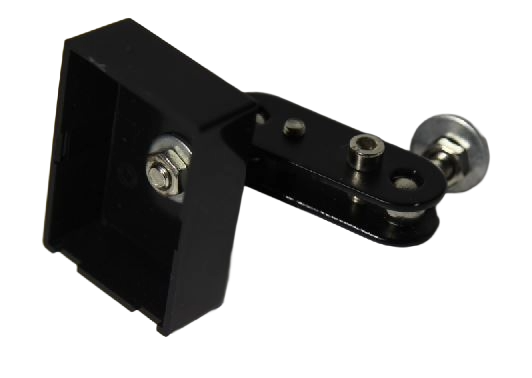
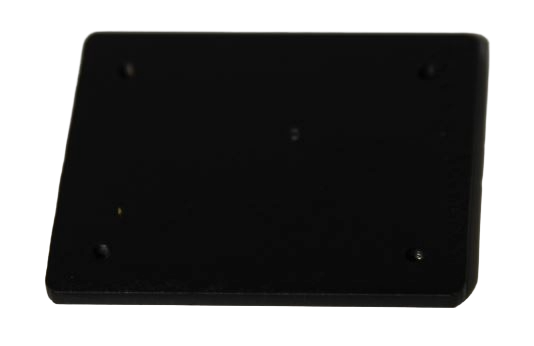
M3x3mmのねじを切って塗装する
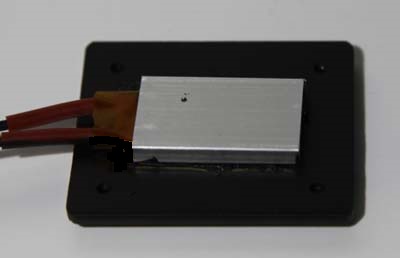
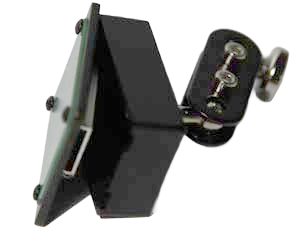
(センサーは外した方が良い)
購入先 アマゾン
接着が完了するまで固定しておく
接合部にすき間シール剤で防水処理をする

85x30mm 1枚 本体固定用
30x30mm 1枚 センサー補強
M4ねじでケースに固定する
小さい方は、センサーをケー
スに固定時に使用する。
大きい方は、ケース底面に
設置用ネオジム磁石に対応
する為の鉄板になります
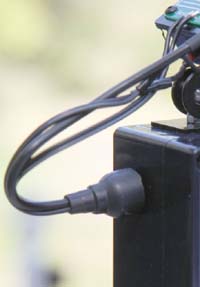
ネオジム磁石固定用
稼働前の調整
サイン波発生基板の出力端子にオシロスコープのプローブを接続します。
設定をサイン波、周波数を2KHz、出力電圧が0.7V p-pになるように調整します。
このレベルより大きくするとADコンバーターの入力レベルを超えますので正確に調整します。
この設定で降雨最大レベルでサイン波の検知レベルはAC0.35V程度になります。
バイアス電圧1.65Vを中心に上下に振れますので最大振幅レベルは0.7V程度になります。
最終完成品の ESPr-Developer用スクリプト
#include <ESP8266WiFi.h>
#include <PubSubClient.h>
#include <OneWire.h>
#include <DallasTemperature.h>
#include <EEPROM.h>
#include <SPI.h>
#include <math.h>

// =========================
// WiFi
// =========================
const char* ssid = "your_ssid";
const char* password = "your_passwd";

// =========================
// MQTT
// =========================
const char* mqttServer = "192.168.1.200";//Your MQTT Server Address
const int mqttPort = 1883;

const char* pubTopic           = "rain_sensor/ac/data";
const char* topicRainth        = "rain_sensor/ac/rainth";
const char* topicHeaterPower   = "rain_sensor/ac/heaterPower";
const char* topicHeaterth      = "rain_sensor/ac/heaterth";
const char* topicReset         = "rain_sensor/ac/reset";

// =========================
// PIN
// =========================
#define TEMP_PIN    4
#define HEATER_PIN  5
#define CS_PIN      15

// =========================
// EEPROM
// =========================
#define EEPROM_SIZE   64
#define ADDR_RAIN     0
#define ADDR_HEATER   8
#define ADDR_HPOWER   16

// =========================
// 温度
// =========================
OneWire oneWire(TEMP_PIN);
DallasTemperature sensors(&oneWire);

float temperature = 0;

// =========================
// 設定値
// =========================
float rainth   = 0.2;
float heaterth = 0.15;

// =========================
// 状態
// =========================
float intensity = 0;
bool raining     = false;
bool autoHeater  = false;
int heaterPower  = 70;
unsigned long heaterOffStart = 0;

// =========================
// MQTT
// =========================
WiFiClient espClient;
PubSubClient client(espClient);
unsigned long lastPublish = 0;

// =========================
// EEPROM
// =========================
void loadAll() {
  EEPROM.get(ADDR_RAIN, rainth);
  EEPROM.get(ADDR_HEATER, heaterth);
  EEPROM.get(ADDR_HPOWER, heaterPower);

  if (isnan(rainth) || rainth < 0 || rainth > 0.4) {
    rainth = 0.2;
  }

  if (isnan(heaterth) || heaterth < 0 || heaterth > 0.2) {
    heaterth = 0.15;
  }

  if (heaterPower < 0 || heaterPower > 100) {
    heaterPower = 70;
  }
}

// =========================
// WiFi
// =========================
void setupWiFi() {
  WiFi.mode(WIFI_STA);
  WiFi.config(
    IPAddress(192,168,1,100),
    IPAddress(192,168,1,1),
    IPAddress(255,255,255,0)
  );//Your IP Address
  WiFi.begin(ssid, password);
  unsigned long start = millis();
  while (WiFi.status() != WL_CONNECTED) {
    delay(500);
    if (millis() - start > 15000) {
      ESP.restart();
    }
  }
}

// =========================
// MQTT callback
// =========================
void callback(char* topic, byte* payload, unsigned int length) {
  String msg;
  for (unsigned int i = 0; i < length; i++) {
    msg += (char)payload[i];
  }
  // -------------------------
  // rain threshold
  // -------------------------
  if (strcmp(topic, topicRainth) == 0) {
    float v = msg.toFloat();
    if (v >= 0 && v <= 0.6) {
      rainth = v;
      EEPROM.put(ADDR_RAIN, rainth);
      EEPROM.commit();
    }
  }

  // -------------------------
  // heater power
  // -------------------------
  else if (strcmp(topic, topicHeaterPower) == 0) {
    int v = msg.toInt();
    if (v >= 0 && v <= 100) {
      heaterPower = v;
      EEPROM.put(ADDR_HPOWER, heaterPower);
      EEPROM.commit();
    }
  }

  // -------------------------
  // heater threshold
  // -------------------------
  else if (strcmp(topic, topicHeaterth) == 0) {
    float v = msg.toFloat();
    if (v >= 0 && v <= 0.3) {
      heaterth = v;
      EEPROM.put(ADDR_HEATER, heaterth);
      EEPROM.commit();
    }
  }

  // -------------------------
  // reset
  // -------------------------
  else if (strcmp(topic, topicReset) == 0) {
    ESP.restart();
  }
}

// =========================
// MQTT reconnect
// =========================
void reconnect() {
  while (!client.connected()) {
    if (client.connect("ac_rain_sensor")) {
      client.subscribe(topicRainth);
      client.subscribe(topicHeaterPower);
      client.subscribe(topicHeaterth);
      client.subscribe(topicReset);
    } else {
      delay(1000);
    }
  }
}

// =========================
// 温度
// =========================
void readTemp() {
  static unsigned long lastTemp = 0;
  if (millis() - lastTemp > 2000) {
    sensors.requestTemperatures();
    float t = sensors.getTempCByIndex(0);
    // エラー除去
    if (t > -50 && t < 100) {
      temperature = t;
    }
    lastTemp = millis();
  }
}


// =========================
// ヒーターPWM
// =========================
void heaterControl() {
  int duty = 0;
  if (autoHeater) {
    duty = heaterPower;
  }
  unsigned long period = 4000;
  unsigned long onTime = period * duty / 100;
  unsigned long t = millis() % period;
  digitalWrite(HEATER_PIN, (t < onTime));
}

// =========================
// 自動制御
// =========================
void autoLogic() {
  // -------------------------
  // rain detection
  // -------------------------
  if (!raining && intensity > rainth) {
    raining = true;
  } else if (raining && intensity < (rainth * 0.6)) {
    raining = false;
  }
  // -------------------------
  // heater ON
  // -------------------------
  if (intensity > (heaterth + 0.05)) {
    autoHeater = true;
    heaterOffStart = 0;
  }

  // -------------------------
  // heater OFF timer
  // -------------------------
  if (autoHeater && intensity <= 0.05) {
    if (heaterOffStart == 0) {
      heaterOffStart = millis();
    } else if (millis() - heaterOffStart >= 900000UL) {
      autoHeater = false;
      heaterOffStart = 0;
    }
  }

  // -------------------------
  // timer reset
  // -------------------------
  if (intensity > heaterth * 0.5) {
    heaterOffStart = 0;
  }
}

// =========================
// MCP3201
// =========================
int16_t readADC() {
  digitalWrite(CS_PIN, LOW);
  byte highByte = SPI.transfer(0x00);
  byte lowByte  = SPI.transfer(0x00);
  digitalWrite(CS_PIN, HIGH);
  int result = ((highByte & 0x1F) << 8) | lowByte;
  result >>= 1;
  return result;
}

// =========================
// 振幅取得
// =========================
float readAmplitude() {
  float vmax = 0;
  float vmin = 10;
  for (int i = 0; i < 30; i++) {
    float v = (readADC() / 4095.0) * 2.048;
    if (v > vmax) vmax = v;
    if (v < vmin) vmin = v;
    delayMicroseconds(20);
    yield();
  }
  return (vmax - vmin);
}

// =========================
// setup
// =========================
void setup() {
  pinMode(HEATER_PIN, OUTPUT);
  digitalWrite(HEATER_PIN, LOW);
  Serial.begin(115200);

  EEPROM.begin(EEPROM_SIZE);  // EEPROM
  loadAll();

  pinMode(CS_PIN, OUTPUT); // SPI
  digitalWrite(CS_PIN, HIGH);
  SPI.begin();
  SPI.beginTransaction(
    SPISettings(1600000, MSBFIRST, SPI_MODE0)
  );

  sensors.begin(); // 温度
  sensors.setResolution(10);  // 10bit化

  setupWiFi();  // WiFi
  client.setServer(mqttServer, mqttPort);  // MQTT
  client.setCallback(callback);
}

// =========================
// loop
// =========================
void loop() {
  // MQTT
  if (!client.connected()) {
    reconnect();
  }
  client.loop();
  // 振幅測定
  intensity = readAmplitude();
  // 微小ノイズ除去
  if (intensity < 0.1) {
    intensity = 0;
  }
  // 温度
  readTemp();
  // 自動制御
  autoLogic();
  // ヒーター
  heaterControl();
  // MQTT publish
  if (millis() - lastPublish > 1500) {
    char payload[256];
    snprintf(
      payload,
      sizeof(payload),
      "{\"intensity\":%.3f,"
      "\"temperature\":%.2f,"
      "\"heaterPower\":%d,"
      "\"autoHeater\":%d,"
      "\"heaterth\":%.2f,"
      "\"rainth\":%.2f,"
      "\"raining\":%d}",
      intensity,
      temperature,
      heaterPower,
      autoHeater ? 1 : 0,
      heaterth,
      rainth,
      raining ? 1 : 0
    );

    client.publish(pubTopic, payload);
    lastPublish = millis();
  }

  delay(10);
}
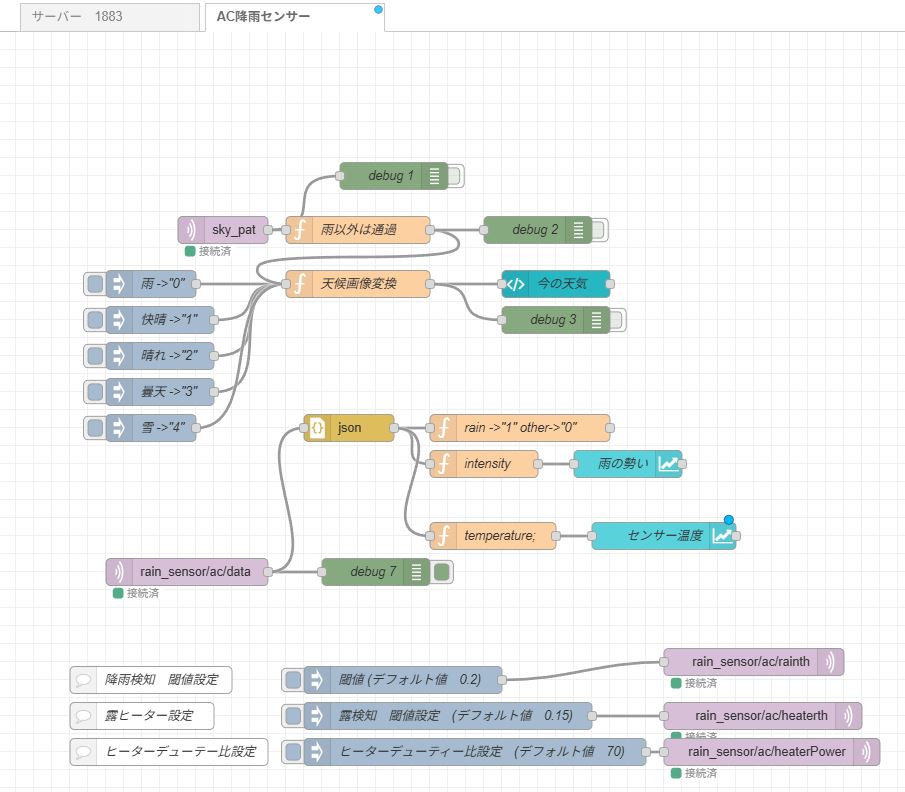
最終完成品のAC2KHz方式降雨検知システムNODE-RED フロー
[{"id":"d82e95bcac67f954","type":"tab","label":"AC降雨センサー","disabled":false,"info":"","env":[]},{"id":"be65d249e7fb9a60","type":"inject","z":"d82e95bcac67f954","name":"雨 ->\"0\"","props":[{"p":"payload"},{"p":"topic","vt":"str"}],"repeat":"","crontab":"","once":false,"onceDelay":0.1,"topic":"","payload":"0","payloadType":"str","x":170,"y":280,"wires":[["b4bcd20a1aabbe5b"]]},{"id":"d3c159072423fac6","type":"inject","z":"d82e95bcac67f954","name":"快晴 ->\"1\"","props":[{"p":"payload"},{"p":"topic","vt":"str"}],"repeat":"","crontab":"","once":false,"onceDelay":0.1,"topic":"","payload":"1","payloadType":"str","x":180,"y":320,"wires":[["b4bcd20a1aabbe5b"]]},{"id":"3b9c747f2a27f187","type":"inject","z":"d82e95bcac67f954","name":"晴れ ->\"2\"","props":[{"p":"payload"},{"p":"topic","vt":"str"}],"repeat":"","crontab":"","once":false,"onceDelay":0.1,"topic":"","payload":"2","payloadType":"str","x":180,"y":360,"wires":[["b4bcd20a1aabbe5b"]]},{"id":"ec917c8c9e0671f6","type":"inject","z":"d82e95bcac67f954","name":"曇天 ->\"3\"","props":[{"p":"payload"},{"p":"topic","vt":"str"}],"repeat":"","crontab":"","once":false,"onceDelay":0.1,"topic":"","payload":"3","payloadType":"str","x":180,"y":400,"wires":[["b4bcd20a1aabbe5b"]]},{"id":"b2b76a7d10fcef2c","type":"inject","z":"d82e95bcac67f954","name":"雪 ->\"4\"","props":[{"p":"payload"},{"p":"topic","vt":"str"}],"repeat":"","crontab":"","once":false,"onceDelay":0.1,"topic":"","payload":"4","payloadType":"str","x":170,"y":440,"wires":[["b4bcd20a1aabbe5b"]]},{"id":"b4bcd20a1aabbe5b","type":"function","z":"d82e95bcac67f954","name":"天候画像変換","func":"var icon;\nvar weather = msg.payload;\nswitch(weather){\n case \"0\":\n icon = \"/Weather/rain.png\";\n break;\n case \"1\":\n icon = \"/Weather/sunny.png\";\n break; \n case \"2\":\n icon = \"/Weather/sunny_cloudy.png\";\n break; \n case \"3\":\n icon = \"/Weather/cloudy.png\";\n break;\n case \"4\":\n icon = \"/Weather/snow.png\";\n break;\n}\nmsg.payload = icon;\nreturn msg","outputs":1,"timeout":"","noerr":0,"initialize":"","finalize":"","libs":[],"x":400,"y":280,"wires":[["ca24f0b812329437","0a4da647d5040b57"]]},{"id":"d2edf5a1b72ba8bd","type":"function","z":"d82e95bcac67f954","name":"rain ->\"1\" other->\"0\"","func":"let status = msg.payload.raining;\nif (status) global.set(\"rain_status\", \"1\");\nif (!status) global.set(\"rain_status\", \"0\");\nreturn null;\n","outputs":1,"timeout":0,"noerr":0,"initialize":"","finalize":"","libs":[],"x":580,"y":440,"wires":[[]]},{"id":"d220718261fb693e","type":"json","z":"d82e95bcac67f954","name":"","property":"payload","action":"obj","pretty":false,"x":390,"y":440,"wires":[["d2edf5a1b72ba8bd","270311d9081163b6","57bc08c1a2882b74"]]},{"id":"9c778d6067d8ccfa","type":"mqtt in","z":"d82e95bcac67f954","name":"","topic":"rain_sensor/ac/data","qos":"2","datatype":"auto-detect","broker":"cf1776747da46a7c","nl":false,"rap":true,"rh":0,"inputs":0,"x":210,"y":600,"wires":[["8b5be9a08575afc9","d220718261fb693e"]]},{"id":"8b5be9a08575afc9","type":"debug","z":"d82e95bcac67f954","name":"debug 7","active":true,"tosidebar":true,"console":false,"tostatus":false,"complete":"false","statusVal":"","statusType":"auto","x":420,"y":600,"wires":[]},{"id":"0d6a7ef2fcadc3c7","type":"inject","z":"d82e95bcac67f954","name":"閾値 (デフォルト値 0.2)","props":[{"p":"payload"},{"p":"topic","vt":"str"}],"repeat":"","crontab":"","once":false,"onceDelay":0.1,"topic":"","payload":"0.2","payloadType":"str","x":450,"y":720,"wires":[["95789ffaf9ddd403"]]},{"id":"95789ffaf9ddd403","type":"mqtt out","z":"d82e95bcac67f954","name":"","topic":"rain_sensor/ac/rainth","qos":"","retain":"","respTopic":"","contentType":"","userProps":"","correl":"","expiry":"","broker":"cf1776747da46a7c","x":840,"y":700,"wires":[]},{"id":"b39f0bf23c910e1d","type":"comment","z":"d82e95bcac67f954","name":"降雨検知 閾値設定","info":"","x":170,"y":720,"wires":[]},{"id":"a3aa65bd4adfd2d6","type":"mqtt in","z":"d82e95bcac67f954","name":"","topic":"sky_pat","qos":"2","datatype":"auto-detect","broker":"9ded4b95213fa421","nl":false,"rap":true,"rh":0,"inputs":0,"x":250,"y":220,"wires":[["be88932e09ba2474","d50d63edb1562c6d"]]},{"id":"be88932e09ba2474","type":"function","z":"d82e95bcac67f954","name":"雨以外は通過","func":"var sun_pat = String(msg.payload);\nvar status =global.get(\"rain_status\");\n\nvar temp ;\nif (status != \"1\"){\n temp = sun_pat;\n}\nif (status == \"1\"){\n temp = \"0\";\n}\nmsg.payload = temp;\nreturn msg;\n","outputs":1,"timeout":0,"noerr":0,"initialize":"","finalize":"","libs":[],"x":400,"y":220,"wires":[["b4bcd20a1aabbe5b","e134bb12bf6bf9f7"]]},{"id":"ca24f0b812329437","type":"ui-template","z":"d82e95bcac67f954","group":"a2862a7d5d758378","page":"","ui":"","name":"今の天気","order":1,"width":0,"height":0,"head":"","format":"<template>\n <div style=\"text-align:center\">\n <img\n :src=\"msg.payload\"\n alt=\"weather_icon\"\n width=\"92\"\n height=\"92\"\n />\n </div>\n</template>","storeOutMessages":true,"passthru":true,"resendOnRefresh":true,"templateScope":"local","className":"","x":620,"y":280,"wires":[[]]},{"id":"270311d9081163b6","type":"function","z":"d82e95bcac67f954","name":"intensity","func":"var data = msg.payload.intensity;\nmsg.payload = data;\nreturn msg;","outputs":1,"timeout":0,"noerr":0,"initialize":"","finalize":"","libs":[],"x":540,"y":480,"wires":[["9393df4a178e0107"]]},{"id":"d50d63edb1562c6d","type":"debug","z":"d82e95bcac67f954","name":"debug 1","active":false,"tosidebar":true,"console":false,"tostatus":false,"complete":"false","statusVal":"","statusType":"auto","x":440,"y":160,"wires":[]},{"id":"e134bb12bf6bf9f7","type":"debug","z":"d82e95bcac67f954","name":"debug 2","active":false,"tosidebar":true,"console":false,"tostatus":false,"complete":"false","statusVal":"","statusType":"auto","x":600,"y":220,"wires":[]},{"id":"0a4da647d5040b57","type":"debug","z":"d82e95bcac67f954","name":"debug 3","active":false,"tosidebar":true,"console":false,"tostatus":false,"complete":"false","statusVal":"","statusType":"auto","x":620,"y":320,"wires":[]},{"id":"264e78e6f0567bb7","type":"inject","z":"d82e95bcac67f954","name":"露検知 閾値設定 (デフォルト値 0.15)","props":[{"p":"payload"},{"p":"topic","vt":"str"}],"repeat":"","crontab":"","once":false,"onceDelay":0.1,"topic":"","payload":"0.15","payloadType":"str","x":500,"y":760,"wires":[["b15f0ee5a461ab3d"]]},{"id":"b15f0ee5a461ab3d","type":"mqtt out","z":"d82e95bcac67f954","name":"","topic":"rain_sensor/ac/heaterth","qos":"","retain":"","respTopic":"","contentType":"","userProps":"","correl":"","expiry":"","broker":"cf1776747da46a7c","x":850,"y":760,"wires":[]},{"id":"9147d307a333b05c","type":"comment","z":"d82e95bcac67f954","name":"露ヒーター設定","info":"","x":160,"y":760,"wires":[]},{"id":"57bc08c1a2882b74","type":"function","z":"d82e95bcac67f954","name":"temperature;","func":"var data = msg.payload.temperature;\nmsg.payload = data;\nreturn msg;","outputs":1,"timeout":0,"noerr":0,"initialize":"","finalize":"","libs":[],"x":550,"y":560,"wires":[["c0335969073117a7"]]},{"id":"9393df4a178e0107","type":"ui-chart","z":"d82e95bcac67f954","group":"a2862a7d5d758378","name":"雨の勢い","label":"雨の勢い","order":2,"chartType":"line","category":"topic","categoryType":"msg","xAxisLabel":"","xAxisProperty":"","xAxisPropertyType":"timestamp","xAxisType":"time","xAxisFormat":"","xAxisFormatType":"auto","xmin":"","xmax":"","yAxisLabel":"","yAxisProperty":"payload","yAxisPropertyType":"msg","ymin":"0","ymax":"0.8","bins":10,"action":"append","stackSeries":false,"pointShape":"circle","pointRadius":4,"showLegend":true,"removeOlder":1,"removeOlderUnit":"3600","removeOlderPoints":"","colors":["#0095ff","#ff0000","#ff7f0e","#2ca02c","#a347e1","#d62728","#ff9896","#9467bd","#c5b0d5"],"textColor":["#fcfcfc"],"textColorDefault":false,"gridColor":["#e5e5e5"],"gridColorDefault":true,"width":6,"height":8,"className":"","interpolation":"linear","x":700,"y":480,"wires":[[]]},{"id":"c0335969073117a7","type":"ui-chart","z":"d82e95bcac67f954","group":"a2862a7d5d758378","name":"センサー温度","label":"センサー温度","order":3,"chartType":"line","category":"topic","categoryType":"msg","xAxisLabel":"","xAxisProperty":"","xAxisPropertyType":"timestamp","xAxisType":"time","xAxisFormat":"","xAxisFormatType":"auto","xmin":"","xmax":"","yAxisLabel":"","yAxisProperty":"payload","yAxisPropertyType":"msg","ymin":"-5","ymax":"50","bins":10,"action":"append","stackSeries":false,"pointShape":"circle","pointRadius":4,"showLegend":true,"removeOlder":1,"removeOlderUnit":"3600","removeOlderPoints":"","colors":["#0095ff","#ff0000","#ff7f0e","#2ca02c","#a347e1","#d62728","#ff9896","#9467bd","#c5b0d5"],"textColor":["#f7f7f7"],"textColorDefault":false,"gridColor":["#e5e5e5"],"gridColorDefault":true,"width":6,"height":8,"className":"","interpolation":"linear","x":740,"y":560,"wires":[[]]},{"id":"10f420fc391be345","type":"inject","z":"d82e95bcac67f954","name":"ヒーターデューティー比設定 (デフォルト値 70)","props":[{"p":"payload"},{"p":"topic","vt":"str"}],"repeat":"","crontab":"","once":false,"onceDelay":0.1,"topic":"","payload":"50","payloadType":"str","x":530,"y":800,"wires":[["3974edb7e45a1095"]]},{"id":"3974edb7e45a1095","type":"mqtt out","z":"d82e95bcac67f954","name":"","topic":"rain_sensor/ac/heaterPower","qos":"","retain":"","respTopic":"","contentType":"","userProps":"","correl":"","expiry":"","broker":"cf1776747da46a7c","x":860,"y":800,"wires":[]},{"id":"43f2cdd41b378dd0","type":"comment","z":"d82e95bcac67f954","name":"ヒーターデューテー比設定","info":"","x":190,"y":800,"wires":[]},{"id":"64ae30e16f5923e4","type":"inject","z":"d82e95bcac67f954","name":"ヒーターデューティー比設定 (最強 100)","props":[{"p":"payload"},{"p":"topic","vt":"str"}],"repeat":"","crontab":"","once":false,"onceDelay":0.1,"topic":"","payload":"100","payloadType":"str","x":500,"y":840,"wires":[["3974edb7e45a1095"]]},{"id":"cf1776747da46a7c","type":"mqtt-broker","name":"","broker":"192.168.1.200","port":1883,"clientid":"","autoConnect":true,"usetls":false,"protocolVersion":4,"keepalive":60,"cleansession":true,"autoUnsubscribe":true,"birthTopic":"","birthQos":"0","birthRetain":"false","birthPayload":"","birthMsg":{},"closeTopic":"","closeQos":"0","closeRetain":"false","closePayload":"","closeMsg":{},"willTopic":"","willQos":"0","willRetain":"false","willPayload":"","willMsg":{},"userProps":"","sessionExpiry":""},{"id":"9ded4b95213fa421","type":"mqtt-broker","name":"","broker":"192.168.1.200","port":"1883","clientid":"","autoConnect":true,"usetls":false,"protocolVersion":4,"keepalive":60,"cleansession":true,"autoUnsubscribe":true,"birthTopic":"","birthQos":"0","birthRetain":"false","birthPayload":"","birthMsg":{},"closeTopic":"","closeQos":"0","closeRetain":"false","closePayload":"","closeMsg":{},"willTopic":"","willQos":"0","willRetain":"false","willPayload":"","willMsg":{},"userProps":"","sessionExpiry":""},{"id":"a2862a7d5d758378","type":"ui-group","name":"今日の天気","page":"cef20d4917f1c9a7","width":6,"height":1,"order":1,"showTitle":false,"className":"","visible":"true","disabled":"false","groupType":"default"},{"id":"cef20d4917f1c9a7","type":"ui-page","name":"気象","ui":"debf650e7f1343d3","path":"/page1","icon":"home","layout":"grid","theme":"a45c7f2adf09be21","breakpoints":[{"name":"Default","px":"0","cols":"3"},{"name":"Tablet","px":"576","cols":"6"},{"name":"Small Desktop","px":"768","cols":"9"},{"name":"Desktop","px":"1024","cols":"12"}],"order":1,"className":"","visible":"true","disabled":"false"},{"id":"debf650e7f1343d3","type":"ui-base","name":"画面名","path":"/dashboard","appIcon":"","includeClientData":true,"acceptsClientConfig":["ui-notification","ui-control"],"showPathInSidebar":false,"headerContent":"page","navigationStyle":"default","titleBarStyle":"default","showReconnectNotification":true,"notificationDisplayTime":1,"showDisconnectNotification":true,"allowInstall":true},{"id":"a45c7f2adf09be21","type":"ui-theme","name":"気象","colors":{"surface":"#505050","primary":"#505050","bgPage":"#505050","groupBg":"#505050","groupOutline":"#ffffff"},"sizes":{"density":"default","pagePadding":"12px","groupGap":"12px","groupBorderRadius":"4px","widgetGap":"12px"}},{"id":"715e7f4e79900a3d","type":"global-config","env":[],"modules":{"@flowfuse/node-red-dashboard":"1.30.2"}}]NODE-RED上の作業
データーはJSON式のかたまりで送信されて来ます。
個々の情報を取り出す際にはまずJSONノードを置き「動作」の項目を「常にjavaScriptオブ
ジェクトに変換」に設定します。
その後にfunctionノードを置き「var temp = msg.payload.rain);」のように必要な
情報を引き出して後に続けます。
これらの情報の内、実際にダッシュボードに表示させる為のデーターは、今雨が降っている
という事を伝える rain: 1 (または rain:0) をグラフィックのアイコンで表示する。
雨の勢いを表す「intensity 」の値をグラフにしたものです。
センサーが湿ったり、降雨があるとグラフが上昇して行きます。
センサーが乾燥した状態で0にならない場合には、baselineの調整が必要です。
設置時にはずれている可能性があるので必ず確認をします。
またセンサーの温度もグラフで表示します。
ダッシュボードに表示されないその他の情報は、デバッグ用のものです、これらよりセンサーの現在の
状態を把握できます。
使用して行く内に表示される値が明らかにおかしい場合には、センサーの絶縁不良などが考えられ
ます、最悪交換が必要です、デジタルマルチメーターで抵抗値を測って∞出ない場合には交換して下さ
い。
雨の降り始めの閾値設定ボタンがあります(rainth)。
雨の降り始めと露との差別化にも重要です。
実際の動作にはバタつき防止のため、雨上がりに対して若干のヒステリシスを内部に設けています。
同様に露を検知してセンサーを乾燥させる為のヒーター点火の閾値(heaterth)ボタンもあります。
ヒーターの火力を手動で指定する機能があります。
コマンドを送信して火力を指定します。
MQTT送信データーとしては以下の情報になります。
トピック rain_sensor/ac/heaterPower
payload 0 ~ 100
この数値は、PWMのデューティ制御に使用される値です。
100でデューティ比100%になります。
0を入れると実質ヒーター停止と同じになります。
ヒーターの温度とセンサー表面の乾燥具合は、ダッシュボードに表示される、intensityとヒーター温度
のグラフから判断できます。
尚、実際のヒーターON/OFF操作は、CPUが判断して行います。
降雨と止みの検出レスポンスをなるべく早くしたい場合にはデューティー比を100に設定して下さい。
70の設定と100の設定の大まかな差は降雨停止後 70->20分 100->10分 で乾燥終了という感じ
です。
上記の各設定値は内部EEPROMに書き込まれ、再起動時に読み込まれます。
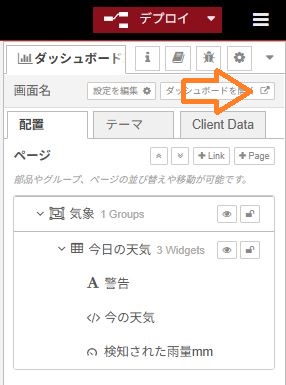
次に、ダッシュボードに表示する手順をご説明します。
事前にRaspberry Pi4やPi5にNODE-RED とMQTTブローカーを下記の記事を参考に設定して準備します。
https://marginalvillage.com/page/4/
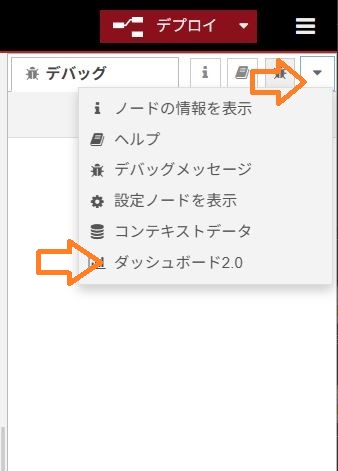
NODE-REDで右上にある三のアイコンをクリックして「パレットの管理」を開き
「ノードを追加」で「@flowfuse/node-red-dashboard」を追加して下さい。
雨以外の天気の「曇り」、「晴れ」、「快晴」の情報も無いと意味をなさ無いのでこのブログ内にある
「AI空模様告知システム」を作成運用してからになります。
https://marginalvillage.com/page/2/
作成できな場合には、晴れ、曇天などのボタンをクリックすればとりあえずシュミレーション
することは可能です。
まず、空模様のアイコンを準備します。
自分で作成するか、フリーの素材を活用させてもらうか、最近はAIソフトが作成してくれるとい
う選択肢もあるようです
面倒な場合にはこの下にあるアイコンを画面コピーしても良いですね。





自作する場合には以下のような無料サイトを利用すると良いでしょう。
https://www.photopea.com/l/ja_jp/
https://forest.watch.impress.co.jp/library/software/inkscape/
https://www.adobe.com/jp/express/
2026/3時点のRaspberry PI OS (other)->Legasy,64bit OS Bookwormではこのフォルダが漢字「公開」になっている場合があります。(最新のDebian Trixleでは検証していません)
その場合には、「Public」にフォルダー名を変えてください、そのままだと使用不可です。
このフォルダー内に画像を作って入れておくわけですが、デフォルトではその機能が無効に
なっていますのでまずは機能を有効にします。
Publicフォルダーを有効にする手順
NODE-REDサーバーを動かしているRaspberry Piの.「.node-red」フォルダーの中に「setting.js」というのがあります。
このファイルをMouspadで開き適当なところへ追加で書き加えます。
尚、「.node-red」は隠しファイルなので見つからない場合には、「Ctrl-H」を押して表示させて下さい。
「setting.js」に「httpStatic: ‘/home/pi/Public/’,」を加筆する。
    /**
     * All static routes will be appended to httpStaticRoot
     * e.g. if httpStatic = "/home/nol/docs" and  httpStaticRoot = "/static/"
     *      then "/home/nol/docs" will be served at "/static/"
     * e.g. if httpStatic = [{path: '/home/nol/pics/', root: "/img/"}]
     *      and httpStaticRoot = "/static/"
     *      then "/home/nol/pics/" will be served at "/static/img/"
     */
    //httpStaticRoot: '/static/',
    httpStatic: '/home/pi/Public/',
最後にある「,」を忘れないようにして下さい、無いとNODE-REDが起動しません。
加筆したら保存してからNODE-REDを再起動させます。
画像は一旦「Weather」フォルダーを作成してその中に入れます。
雨センサー以外にお天気センサーも組み込みが必要にになりますので、ここでは原理的な解説
に留めます。
このサンプルでは、雨が止んでも他のセンサーからの情報が入らないので一旦雨を検知すると
雨のまま更新されませんので注意して下さい。
デバッグ用の天気ボタンをクリックすれば、ダッシュボード上に天気アイコンが表示されます。
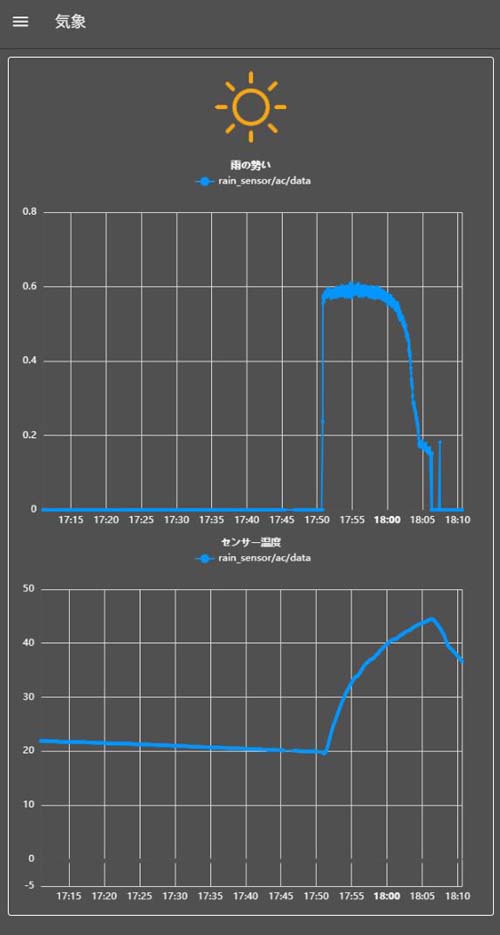
降雨開始から止むまでの様子
降雨があるとヒーター(下のグラフ)が点火され、止むとヒーターが停止し温度が下降して行く様子が
分かります。
雨滴が多いと降雨が停止してもセンサー表面が乾燥するまで20分程度掛かります。
なるべくレ乾燥を早めたい場合には、ヒーターの火力を最大値100に設定して下さい。
(外部状況にもよりますので一概には言えませんが概ね15分程度になります)。
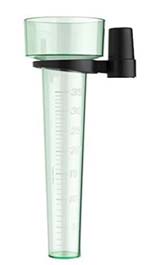
上記降雨のグラフを1時間で積分しその値を実際の雨水桝の実測値と比較し一定の関係式が求まれば
1時間あたりの降雨量表示も可能になるはず?。
(降雨停止後、センサーが乾く時間を差し引く必要があり簡単では無いと思う)
また、霧や、露、霜、降雪時のセンサーの振る舞いなどは、年単位の観察が必要となるので今すぐには
お知らせ出来ないので分かった時点で加筆する予定です。
そのような目的で、年単位での温度、湿度、気圧、照度、降雨量、センサー温度などの詳細データー
をエクセルに記録するNODE-REDフローを作成したのでいずれはこのデーターを使った分析と活用方
法も考えて行きたいです。(生きていれば)
運用の様子