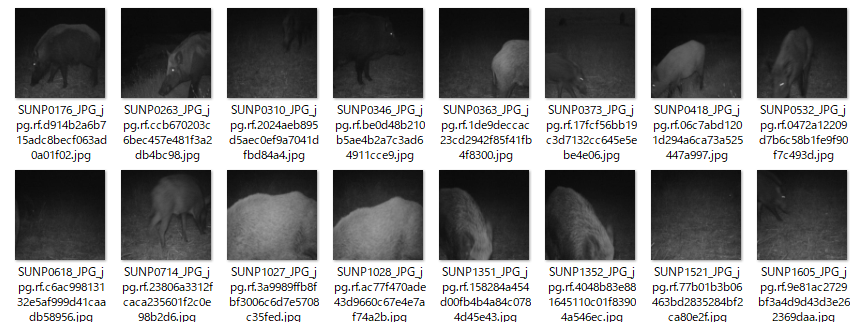
Raspberry Pi5 + AI HAT+2 (HEILO-10H)の組み合わせでも動作するMegadetectorの軽量model
「MDV6-yolov10-c」をインストールに必要なhefファイルに変換する手順を書きます。
モデルのダウンロード
model 「MDV6-yolov10-c」はここからダウンロード出来ます。
https://zenodo.org/records/20348979 (無料 登録が必要)
解凍してみると「model.onnx」が添付されていました。
ここから作業を始めます。
今回のworkspaceは
/mnt/c/Users/name/MyDocker2/YOLOV10C
で行います。(nameはあなたの実際のユーザーネームに変えて下さい)
MDV6b-yolov9cの変換と同様に事前に以下の3つのファイルをworkspace内YOLOV10C配置しておき
ます。
本ブログ記事の「Raspberry Pi5 と AI HAT+2で作るMegadetectorによるAI検知システム」
と同じやり方です。(記事を参照下さい)
1.hailo_dataflow_compiler-5.4.0-py3-none-linux_x86_64.whl
2.PICTURE (ファオルダ内に5,000枚の静止画)
3.model.onnx
1.DFC(hailo dataflow compiler)用環境を作成
本ブログ記事の「Raspberry Pi5 と AI HAT+2で作るMegadetectorによるAI検知システム」
と同じやり方です。
記事を参照下さい、 「終わったら、Model Zooが使えるか確認します。」の手前までを同様に行います。
2.HARの出力
source ~/hailo54-env/bin/activate
export PATH=/usr/local/cuda-12.8/bin:$PATH
export XLA_FLAGS=--xla_gpu_cuda_data_dir=/usr/local/cuda-12.8

MODEL="/mnt/c/Users/name/MyDocker2/YOLOV10C/model.onnx"

python - "$MODEL" <<'PY'
import sys
from hailo_sdk_client import ClientRunner

runner = ClientRunner(hw_arch="hailo10h")
runner.translate_onnx_model(
    sys.argv[1],
    net_name="mdv6_yolov10c_nms",
    start_node_names=["images"],
    end_node_names=[
        "/model.23/one2one_cv3.0/one2one_cv3.0.2/Conv",
        "/model.23/one2one_cv2.0/one2one_cv2.0.2/Conv",
        "/model.23/one2one_cv2.1/one2one_cv2.1.2/Conv",
        "/model.23/one2one_cv3.1/one2one_cv3.1.2/Conv",
        "/model.23/one2one_cv3.2/one2one_cv3.2.2/Conv",
        "/model.23/one2one_cv2.2/one2one_cv2.2.2/Conv",
    ],
    net_input_shapes={"images": [1, 3, 640, 640]},
)
output_path = "/home/name/mdv6_yolov10c_nms.har"
runner.save_har(output_path)
print("HAR:", output_path)
PY3.最適化
元の5,000枚の赤外線画像から新しくキャリブレーション画像1,024枚の作成。
SRC="/mnt/c/Users/name/MyDocker2/YOLOV10C/PICTURE"
DST="$HOME/mdv6_yolov10c_calib_1024"

python3 - "$SRC" "$DST" <<'PY'
import random
import shutil
import sys
from pathlib import Path

src = Path(sys.argv[1])
dst = Path(sys.argv[2])

if not src.is_dir():
    raise SystemExit(f"画像フォルダが見つかりません: {src}")
if dst.exists():
    raise SystemExit(f"作成先が既にあります: {dst}")

files = sorted(
    p for p in src.iterdir()
    if p.is_file() and p.suffix.lower() in {".jpg", ".jpeg", ".png"}
)
if len(files) < 1024:
    raise SystemExit(f"画像が1,024枚未満です: {len(files)}枚")

dst.mkdir(parents=True)
selected = random.Random(42).sample(files, 1024)
for path in selected:
    shutil.copy2(path, dst / path.name)

print(f"作成完了: {dst}")
print(f"コピーした画像: {len(selected)}枚")
PY付属NMS設定はCOCO用の80クラス・閾値0.3なので、MDV6用に3クラス・閾値0.2へ変更してから最
適化します。
まず、既存設定を変更せずにカスタム設定を作ります。
python3 - <<'PY'
import json
from pathlib import Path

zoo = Path.home() / "hailo_model_zoo/hailo_model_zoo/cfg"
dst = Path.home() / "mdv6_yolov10c_config"
dst.mkdir(exist_ok=True)

# YOLOv10nのNMS設定をMDV6用にコピーして変更
cfg = json.loads(
    (zoo / "postprocess_config/yolov10n_nms_config.json").read_text()
)
cfg["classes"] = 3
cfg["nms_scores_th"] = 0.2

json_path = dst / "mdv6_yolov10c_nms_config.json"
json_path.write_text(json.dumps(cfg, indent=2) + "\n")

# YOLOv10nのALLSを複製し、上で作ったNMS設定を参照させる
alls = (zoo / "alls/generic/yolov10n.alls").read_text()
alls = alls.replace(
    '"../../postprocess_config/yolov10n_nms_config.json"',
    f'"{json_path}"'
)
alls_path = dst / "mdv6_yolov10c.alls"
alls_path.write_text(alls)

print("ALLS:", alls_path)
print("NMS JSON:", json_path)
print("NMS classes:", cfg["classes"])
print("NMS score threshold:", cfg["nms_scores_th"])
PY表示がNMS classes: 3、NMS score threshold: 0.2になったら、最適化を実行します。
mkdir -p "$HOME/mdv6_yolov10c_results"
cd "$HOME/mdv6_yolov10c_results"

source ~/hailo54-env/bin/activate
export PATH=/usr/local/cuda-12.8/bin:$PATH
export XLA_FLAGS=--xla_gpu_cuda_data_dir=/usr/local/cuda-12.8

hailomz optimize yolov10n \
  --har /home/name/mdv6_yolov10c_nms.har \
  --calib-path /home/name/mdv6_yolov10c_calib_1024 \
  --classes 3 \
  --hw-arch hailo10h \
--model-script /home/name/mdv6_yolov10c_config/mdv6_yolov10c.alls4.HEFの出力
cd "$HOME/mdv6_yolov10c_results"

hailomz compile yolov10n \
  --har /home/name/mdv6_yolov10c_results/yolov10n.har \
  --hw-arch hailo10h \
--model-script /home/name/mdv6_yolov10c_config/mdv6_yolov10c.alls結果
[info] mdv6_yolov10c_nms Successful Compilation (duration: 13m 27s)
[info] Saved HAR to: /home/name/mdv6_yolov10c_results/yolov10n.har
HEF file written to yolov10n.hef
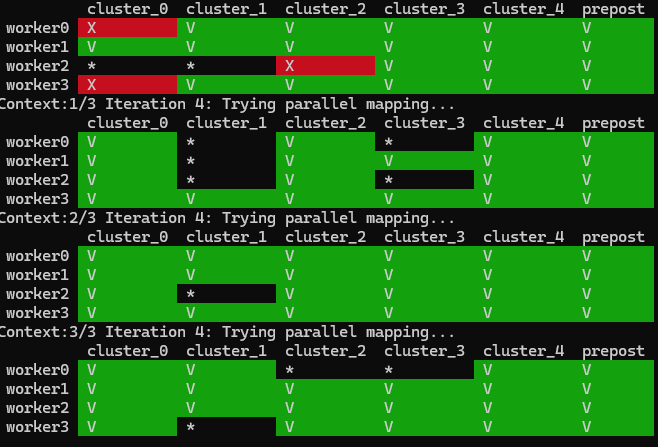
[info] Saved HAR to: /home/name/mdv6_yolov10c_results/yolov10n.har
HEF file written to yolov10n.hef
/home/name/mdv6_yolov10c_results
に「yolov10n.hef」の名前でhefファイルが保存されています。
workspaceに移動して保管、その後、Raspberry Pi5へコピーします。
cp yolov10n.her /home/name/MyDocker2/YOLOV10C
最終の名前は「mdv6_yolov10c.hef」でリネームして保管します。
Raspberry Pi5 + AI HAT+2 で動かす
「mdv6-yolov9」の場合と同様に今回書き出した「mdv6_yolov10c.her」をRaspberry Pi + AI HAT+2
の以下環境にコピーします。
/home/pi/HAT
HATは仮想環境です、「Raspberry Pi5 と AI HAT+2で作るMegadetectorによるAI検知システム」の
「インストール手順」の部分を同様に事前に行って下さい。)
スクリプトは以下になります。
import cv2
import json
import os
import time
import numpy as np
import paho.mqtt.client as mqtt

from hailo_platform import HEF, VDevice, FormatType


# ============================================================
# 設定
# ============================================================

HEF_PATH = "/home/pi/HAT/mdv6_yolov10c.hef"

CAMERAS = [
    {
        "id": "tapo310a_1",
        # USER と PASSWORD を実際のカメラ認証情報に置き換えてください
        "rtsp_url": "rtsp://id:passwd@192.168.1.101:554/stream1",
    },
]

MQTT_BROKER = "192.168.1.200"#Set your MQTT Server Address
MQTT_PORT = 1883
MQTT_TOPIC = "megadt"

SAVE_DIR = "detected_images"
SAVE_INTERVAL_SEC = 5
CLASS_COOLDOWN_SEC = 5

# MegaDetector V6のクラスID
CLASS_NAMES = {
    0: "animal",
    1: "person",
    2: "vehicle",
}

# HEF内蔵NMSのスコア閾値より高い値で、アプリ側でも絞り込みます
CLASS_THRESHOLDS = {
    0: 0.50,
    1: 0.60,
    2: 0.80,
}

INPUT_SIZE = 640

# 今回作成したHEFで確認済みの出力名と形状
OUTPUT_NMS_NAME = "mdv6_yolov10c_nms/yolov8_nms_postprocess"
EXPECTED_NMS_SHAPE = (3, 5, 100)

os.makedirs(SAVE_DIR, exist_ok=True)


# ============================================================
# 前処理
# ============================================================

def letterbox_rgb(frame_bgr, size=INPUT_SIZE):
    """縦横比を維持して640x640にレターボックスし、RGB画像を返す。"""
    height, width = frame_bgr.shape[:2]

    scale = min(size / width, size / height)
    resized_w = int(round(width * scale))
    resized_h = int(round(height * scale))

    resized = cv2.resize(
        frame_bgr,
        (resized_w, resized_h),
        interpolation=cv2.INTER_LINEAR,
    )

    pad_w = size - resized_w
    pad_h = size - resized_h
    left = pad_w // 2
    right = pad_w - left
    top = pad_h // 2
    bottom = pad_h - top

    padded = cv2.copyMakeBorder(
        resized,
        top,
        bottom,
        left,
        right,
        cv2.BORDER_CONSTANT,
        value=(114, 114, 114),
    )

    rgb = cv2.cvtColor(padded, cv2.COLOR_BGR2RGB)
    return np.ascontiguousarray(rgb), scale, left, top


# ============================================================
# 後処理
# ============================================================
def decode_hailo_nms(nms_output, scale, pad_left, pad_top, orig_w, orig_h):
    """
    Hailo NMSの出力を検出結果に変換する。
    クラスごとに「検出数、続いて検出データ」が可変長で並ぶ。
    検出データ: y_min, x_min, y_max, x_max, score
    """
    raw = np.asarray(nms_output, dtype=np.float32).reshape(-1)

    max_proposals = 100
    values_per_detection = 5
    expected_size = 3 * (1 + max_proposals * values_per_detection)

    if raw.size != expected_size:
        raise RuntimeError(
            f"NMS出力サイズが想定外です。想定={expected_size}, 実際={raw.size}"
        )

    detections = []
    cursor = 0

    for class_id in range(3):
        if cursor >= raw.size:
            raise RuntimeError("NMS出力が途中で終わっています")

        count = int(round(float(raw[cursor])))
        count = max(0, min(count, max_proposals))

        data_start = cursor + 1
        data_end = data_start + count * values_per_detection
        boxes = raw[data_start:data_end].reshape(count, values_per_detection)

        for y1, x1, y2, x2, score in boxes:
            score = float(score)

            if score < CLASS_THRESHOLDS[class_id]:
                continue

            x1 = (float(x1) * INPUT_SIZE - pad_left) / scale
            x2 = (float(x2) * INPUT_SIZE - pad_left) / scale
            y1 = (float(y1) * INPUT_SIZE - pad_top) / scale
            y2 = (float(y2) * INPUT_SIZE - pad_top) / scale

            x1 = float(np.clip(x1, 0, orig_w - 1))
            x2 = float(np.clip(x2, 0, orig_w - 1))
            y1 = float(np.clip(y1, 0, orig_h - 1))
            y2 = float(np.clip(y2, 0, orig_h - 1))

            if x2 <= x1 or y2 <= y1:
                continue

            detections.append({
                "class": CLASS_NAMES[class_id],
                "confidence": round(score, 3),
                "box": [
                    int(round(x1)), int(round(y1)),
                    int(round(x2)), int(round(y2)),
                ],
            })

        # 次クラスの検出数位置へ進む
        cursor = data_end

    return detections


# ============================================================
# HEFの読み込みと入出力確認
# ============================================================

print("Hailo-10H用HEFを読み込み中...")
hef = HEF(HEF_PATH)

input_infos = hef.get_input_vstream_infos()
output_infos = hef.get_output_vstream_infos()

if len(input_infos) != 1:
    raise RuntimeError(f"入力数が想定外です: {len(input_infos)}")

input_info = input_infos[0]

print(f"入力: {input_info.name}, shape={input_info.shape}")
print("出力:")
for info in output_infos:
    print(f"  {info.name}, shape={info.shape}, format={info.format.type}")

output_names = [info.name for info in output_infos]
if OUTPUT_NMS_NAME not in output_names:
    raise RuntimeError(
        f"HEF出力名が見つかりません: {OUTPUT_NMS_NAME}\n"
        f"実際の出力名: {output_names}"
    )


# ============================================================
# MQTT接続
# ============================================================

mqtt_client = mqtt.Client(client_id="mdv6-pi5")
mqtt_connected = False

print(f"MQTTサーバー ({MQTT_BROKER}:{MQTT_PORT}) に接続中...")
try:
    mqtt_client.connect(MQTT_BROKER, MQTT_PORT, 60)
    mqtt_client.loop_start()
    mqtt_connected = True
    print("MQTT接続に成功しました。")
except Exception as exc:
    print(f"MQTT接続に失敗しました。検知処理は続行します: {exc}")


# ============================================================
# カメラを開く
# ============================================================

for camera in CAMERAS:
    camera["cap"] = cv2.VideoCapture(camera["rtsp_url"], cv2.CAP_FFMPEG)
    camera["cap"].set(cv2.CAP_PROP_BUFFERSIZE, 1)
    camera["last_saved_time"] = 0.0
    camera["last_detected_by_class"] = {}

    if camera["cap"].isOpened():
        print(f"{camera['id']}: カメラ接続完了")
    else:
        print(f"{camera['id']}: 接続失敗。RTSP URLを確認してください。")


# ============================================================
# 推論ループ
# ============================================================

print("MegaDetector監視を開始しました。終了するには Ctrl+C を押してください。")

try:
    with VDevice() as target:
        infer_model = target.create_infer_model(HEF_PATH)
        infer_model.set_batch_size(1)

        infer_model.input(input_info.name).set_format_type(FormatType.UINT8)

        for output_info in output_infos:
            infer_model.output(output_info.name).set_format_type(FormatType.FLOAT32)

        with infer_model.configure() as configured_model:
            while True:
                active_camera_count = 0

                for camera in CAMERAS:
                    cap = camera["cap"]

                    if not cap.isOpened():
                        continue

                    active_camera_count += 1
                    ret, frame = cap.read()

                    if not ret:
                        print(f"{camera['id']}: フレームを取得できません")
                        time.sleep(0.1)
                        continue

                    frame_h, frame_w = frame.shape[:2]
                    input_rgb, scale, pad_left, pad_top = letterbox_rgb(frame)

                    input_buffer = np.expand_dims(input_rgb, axis=0)
                    input_buffer = input_buffer.astype(np.uint8, copy=False)

                    bindings = configured_model.create_bindings()
                    bindings.input(input_info.name).set_buffer(input_buffer)

                    output_buffers = {}

                    for output_info in output_infos:
                        name = output_info.name
                        shape = tuple(infer_model.output(name).shape)
                        buffer = np.empty(shape, dtype=np.float32)

                        bindings.output(name).set_buffer(buffer)
                        output_buffers[name] = buffer

                    configured_model.run([bindings], timeout=10000)

                    nms_output = output_buffers[OUTPUT_NMS_NAME]
                    raw = np.asarray(nms_output, dtype=np.float32).reshape(-1)
                    values_per_class = 1 + 5 * 100

                    if time.monotonic() - camera.get("last_debug_time", 0.0) >= 5:
                        camera["last_debug_time"] = time.monotonic()

                        summaries = []
                        for class_id, class_name in CLASS_NAMES.items():
                            start = class_id * values_per_class
                            class_data = raw[start : start + values_per_class]
                            count = max(0, min(int(round(float(class_data[0]))), 100))

                            if count:
                                scores = class_data[1 : 1 + count * 5].reshape(count, 5)[:, 4]
                                max_score = float(np.max(scores))
                            else:
                                max_score = 0.0

                            summaries.append(
                                  f"{class_name}: count={count}, max_score={max_score:.3f}"
                            )

                        print("[NMS] " + " | ".join(summaries))
                    detections = decode_hailo_nms(
                        nms_output,
                        scale,
                        pad_left,
                        pad_top,
                        frame_w,
                        frame_h,
                    )

                    now = time.time()
                    last_by_class = camera["last_detected_by_class"]

                    active_detections = [
                        detection
                        for detection in detections
                        if now - last_by_class.get(detection["class"], 0.0)
                        >= CLASS_COOLDOWN_SEC
                    ]

                    if not active_detections:
                        continue

                    active_classes = sorted(
                        {detection["class"] for detection in active_detections}
                    )

                    for class_name in active_classes:
                        last_by_class[class_name] = now
                        print(f"{camera['id']}: 検出 -> {class_name}")

                    if mqtt_connected:
                        payload = {
                            "timestamp": now,
                            "camera_id": camera["id"],
                            "detected": True,
                            "count": len(active_detections),
                            "objects": active_detections,
                        }

                        mqtt_client.publish(
                            MQTT_TOPIC,
                            json.dumps(payload),
                        )

                    if now - camera["last_saved_time"] >= SAVE_INTERVAL_SEC:
                        timestamp = time.strftime("%Y%m%d_%H%M%S")
                        save_path = os.path.join(
                            SAVE_DIR,
                            f"{camera['id']}_detected_{timestamp}.jpg",
                        )

                        # 検出枠を描かず、元フレームを保存
                        cv2.imwrite(save_path, frame)
                        camera["last_saved_time"] = now
                        print(f"画像保存: {save_path}")

                if active_camera_count == 0:
                    print("有効なカメラがありません。RTSP URLを確認してください。")
                    time.sleep(5)
                else:
                    time.sleep(0.01)

except KeyboardInterrupt:
    print("\n停止します。")

finally:
    for camera in CAMERAS:
        cap = camera.get("cap")
        if cap is not None:
            cap.release()

    if mqtt_connected:
        mqtt_client.loop_stop()
        mqtt_client.disconnect()

    print("カメラとMQTTを終了しました。")